A free download is one of the easiest ways to start a conversation with a stranger. A checklist, a template, a sample chapter or a short guide shows what you know, and it asks nothing of the person who takes it. The hard part is delivery: sending the same file to every person who asks, all day, by hand.
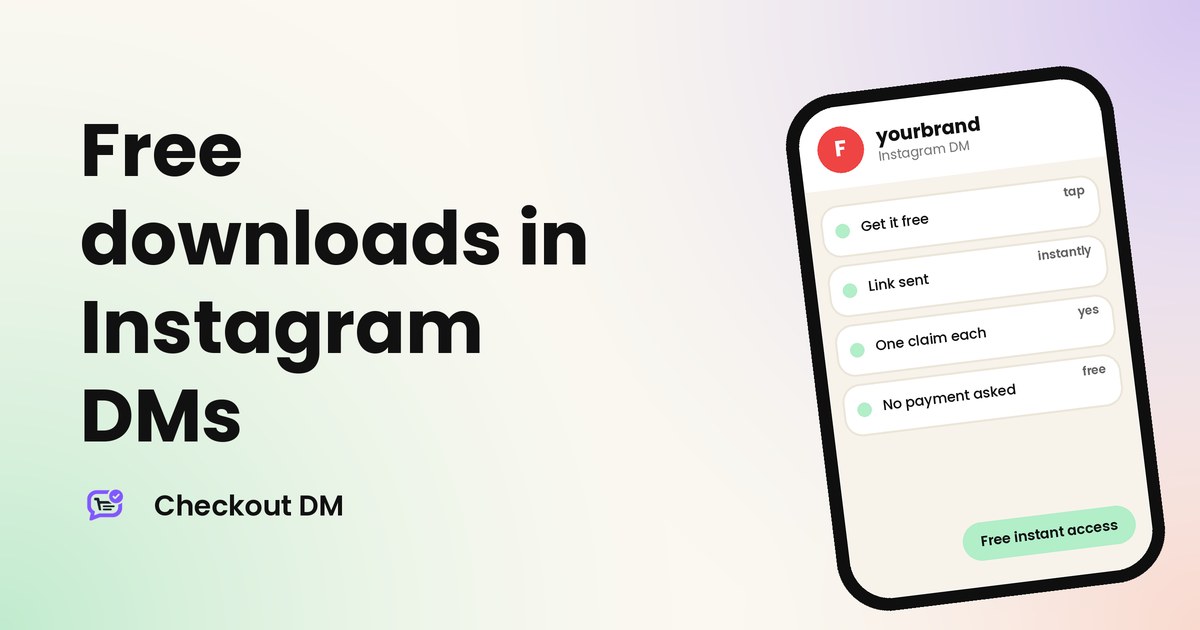
Checkout DM can do it for you. A product set to free instant access shows a Get it free button in the DM, and one tap sends the download link straight away. This guide explains how it works and what to keep in mind.
What free instant access does
- The product card shows a Get it free button.
- One tap sends the delivery link in the chat immediately.
- The customer is not asked for a name, email or payment.
- Each customer can claim a given product once.
- If your Storefront is switched on, the card also shows a Visit Store button, so people can look at the rest of your catalog.
Free products are for digital items only, and free items on a paid plan are available from Creator upward. On the Free plan, a product cannot be priced at zero.
Setting up a free product
- Add a product with a clear cover image and a title that says what the person gets, for example 30-Day Content Planner (PDF).
- Set the price to 0 and choose the digital product type.
- Add the delivery link. This is the page or file link the customer receives. A cloud storage link set to anyone with the link works well. Make sure that the link opens on a phone.
- Choose free instant access as the tap action. It is only available when the product is digital, priced at 0 and has a delivery link.
- Test it from a second Instagram account before you announce it.
What to give away
The best freebie solves one small problem quickly. A few ideas, by the kind of audience you have:
- Fitness or wellness: a one-week meal plan or a printable habit tracker.
- Design or photography: a small set of presets, a colour palette or a template pack sample.
- Money or business: a budget spreadsheet, a pricing worksheet or an invoice template.
- Education or exam prep: a one-page revision sheet or a question set.
- Crafts and hobbies: a pattern, a printable guide or a materials checklist.
Name it for the result, not the format. A budget spreadsheet that shows where the month’s money went sounds more useful than Spreadsheet 1.
Getting people to ask for it
A freebie works best when it is tied to a post. A Reel gives three tips, and the caption says: comment PLANNER and I will send the full checklist. A comment trigger starts the chat automatically, and the product card arrives in the DM. Our guide to comment-to-DM explains triggers, and Story replies that sell shows how to do the same from a Story.
What you will not get from a DM claim
Because a free claim in the chat asks for nothing, you do not receive the person’s email address from it. The customer simply takes the file. If you want emails, there is a different route. On the Storefront, a free item is claimed from the checkout page, which asks for a name and email, and the link is sent to that email. Creator plans show you the customer name and email for these orders.
If you plan to send marketing messages, make sure that people have agreed to receive them. A download is not consent to a newsletter.
Turning a freebie into a first sale
- Add a paid product next to it that continues where the freebie stops, such as a full template pack after a sample.
- Keep the free item truly useful. A weak freebie makes people doubt the paid product.
- Check what happens after the claim. Look at your dashboard and your messages to see who comes back and asks more questions.
- Use the Storefront link in your bio, so that people who finish the freebie can browse your catalog.
To price the paid product, read our guide to pricing on Instagram, and for a full set-up, see how to sell digital products on Instagram.
Common problems
- The link does not open for customers. Check the sharing setting of the file and test it from a different account.
- People claim it twice and complain. Each customer can claim one product once, so remind them in the message to save the file.
- The option is greyed out. It needs a digital product, priced at 0, with a delivery link filled in.
Related reading
Frequently asked questions
Can I give away files for free on the Free plan?
No. On the Free plan a product cannot be priced at zero. Free digital products are available on paid plans, starting with Creator.
Does Checkout DM collect an email when someone claims a free download in the DM?
No. The DM claim asks for no name, email or payment. If someone claims the same item from the Storefront checkout page, the page asks for a name and email.
Can the same person claim the file again?
Each customer can claim a given free product once.
What can I give away?
Any digital item you can share with a link, such as a PDF, a template, a checklist, a sample chapter or a video. Physical products cannot be free.
How do I get people to ask for it?
Mention it in a post or Story and set a comment trigger, so that a comment starts the DM and the product card arrives automatically.