Digital products are one of the best things a creator can sell on Instagram. There is nothing to pack, nothing to ship and no stock to run out of. The customer pays, and a moment later they have what they bought.
The challenge is the path between “that looks useful” and “I have it”. Every extra step, such as visiting a link in your bio, creating an account or waiting for you to reply, loses people. This guide shows how to shorten that path so the whole sale happens inside Instagram.
What sells well as a digital product
The best digital products solve a specific, small problem for your audience and can be understood at a glance. A few kinds that creators commonly sell:
- Guides and PDFs. Checklists, playbooks, recipe books, study notes or step-by-step tutorials.
- Templates. Planners, spreadsheets, content calendars, resume layouts or design files.
- Presets and assets. Photo presets, fonts, icon packs or sound effects.
- Courses and workshops. Recorded lessons or access to a members-only resource.
- Resource bundles. A collection of related files sold together at one price.
A useful test: could a follower describe what they will get, and why they want it, in one sentence? If so, the product is clear enough to sell in a Reel or a Story.
How the comment-to-download flow works
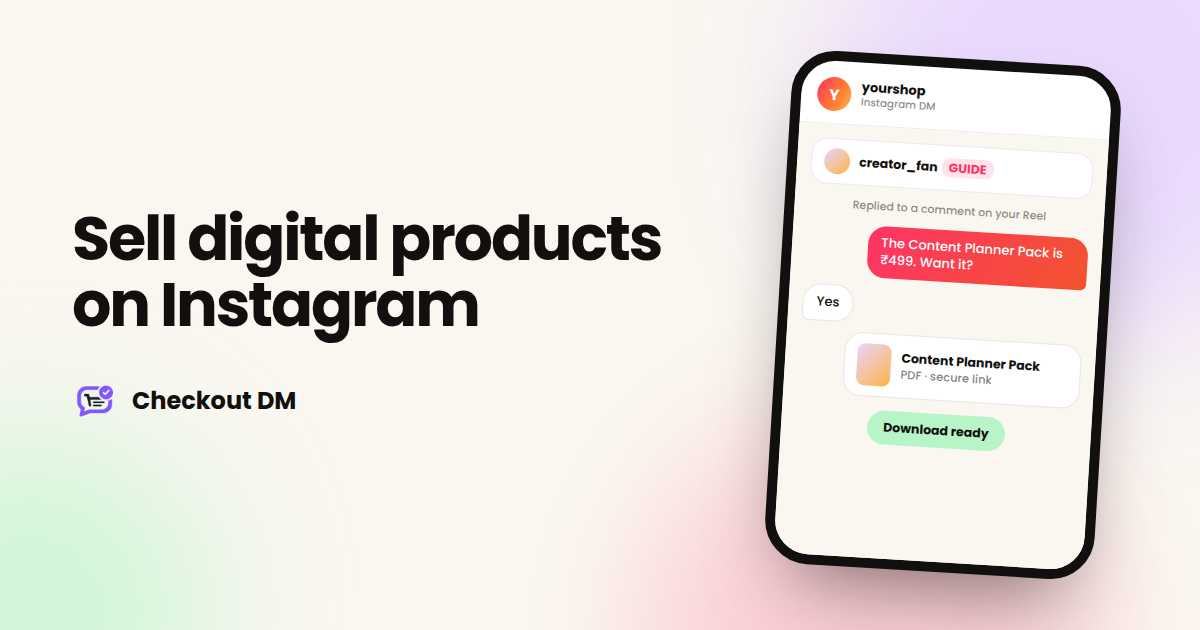
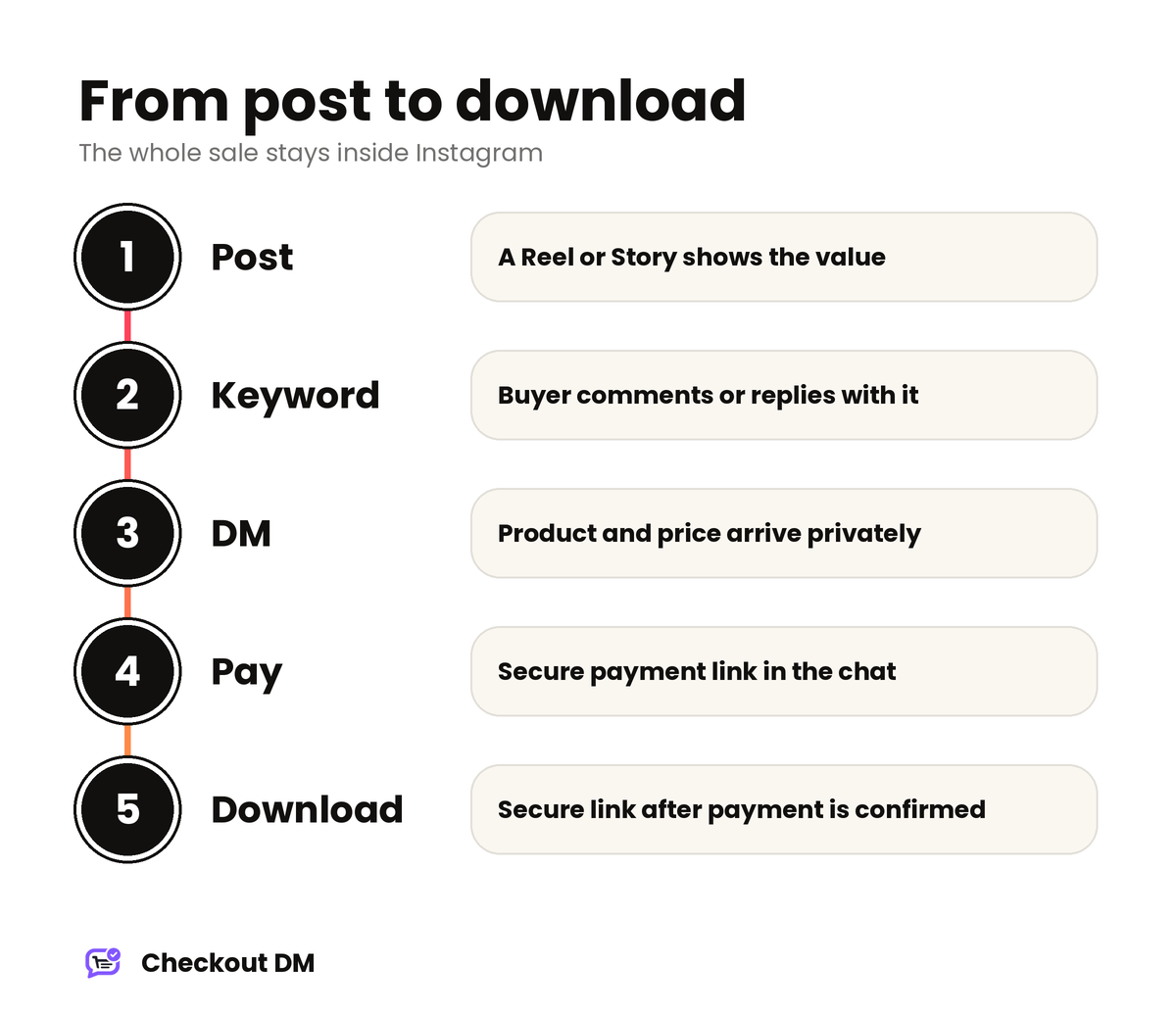
The ideal flow has almost no friction. You post a Reel that shows the value of your product and ends with a simple instruction, such as “Comment GUIDE and I will send it to you”. When someone comments, they receive a private message with the product and price, a payment link and, as soon as the payment is confirmed, the download.
yourshop
Instagram DM
Replied to a comment on your Reel
Thanks for commenting! The Content Planner Pack is ₹499. Want it?
Yes
Here is your secure payment link. Your download arrives as soon as you pay.
A moment later
Payment received. Here is your download link. Enjoy!
In Checkout DM, digital products are delivered to the buyer through a secure link right after payment is confirmed. The comment trigger is the comment-to-DM feature, which is available from the Creator plan onward.
Pricing digital products
Digital products tend to sell best at a price a person will accept without having to think about it or ask anyone. For a first product, that usually means keeping it small and clear.
- Start with one product at an easy price. Learn how your audience responds before you build a catalog.
- Price for the value, not the effort. A template that saves someone an afternoon is worth more than the hours you spent making it.
- Consider a bundle later. Once you have several products, offering them together gives buyers a reason to spend a little more.
- Be clear about what is included. Say exactly what the buyer receives, in what format and how many files.
Warm people up with a free sample
One of the most effective ways to sell a paid product is to give something small away first. A free checklist or a short sample, delivered through the same comment-to-DM flow, lets people experience your quality before they pay. It also starts a conversation, so when you later offer the full product, they already know you.
Set expectations for refunds and access
Digital products raise their own questions. What happens if a download link does not work? Can a buyer get a refund? How long does access last? Decide your answers before you launch and put them in one clear sentence, so you can share them whenever a customer asks. Being upfront prevents most disputes before they start.
Mistakes that cost creators sales
- Sending people to a link in your bio. Every extra step loses buyers. Keep the sale inside the conversation.
- A vague offer. If people cannot tell what they get, they will not comment.
- A long first message. Keep it to the product, the price and one question.
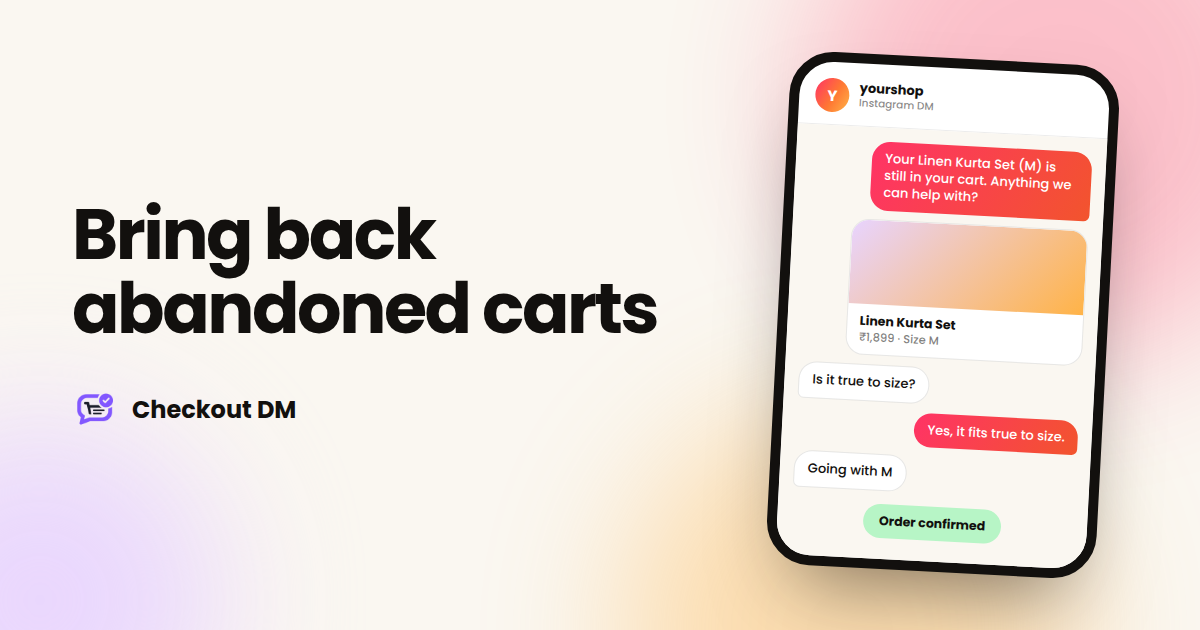
- No follow-up for people who go quiet. A short, helpful message can bring them back. See abandoned carts in DMs.
- Skipping a test. Run the whole flow from a second account and download the file yourself before you promote it.
A simple launch plan
- Choose one small, clear product and write its one-sentence description.
- Prepare the file and check that it opens properly on a phone and a computer.
- Set the price, and decide your refund and access policy.
- Create the product in your dashboard and connect how you will take payment.
- Test the full flow from a second Instagram account.
- Post a Reel that shows the value and tells people exactly what to comment. On Growth and Pro you can also use a Story: tell people which keyword to reply with, and the product card arrives in their DMs.
If you take payments by UPI or bank transfer, remember that manual payments are confirmed by you, while a connected gateway confirms them automatically. For instant delivery without checking each payment, a gateway is the smoother choice. Our guide to taking payments on Instagram in India explains the options.
Related reading
Frequently asked questions
Can I sell digital products on Instagram?
Yes. With a DM checkout tool, the customer can see the product, pay and receive the download in the same chat. In Checkout DM, digital products are delivered through a secure link right after payment is confirmed.
Which Checkout DM plan do I need for digital products?
The Creator plan is digital-only, and every other plan can sell both physical and digital products. The Free plan also supports selling, with limits on products and conversations.
How do customers get the file after paying?
They receive a secure link in the chat right after the payment is confirmed. With a connected payment gateway, confirmation is automatic. With manual payments, you confirm the payment first.
Can I use comment-to-DM for digital products?
Yes. A comment on your Reel or post can start the conversation, which is available from the Creator plan onward.