In a DM checkout, a customer can add a product to their cart and then simply stop replying. In a physical shop, that is someone putting an item back and walking out.
The difference is that on Instagram you can still say something. The trick is to do it in a way that helps the customer instead of chasing them.
Why people go quiet
- Life happened. A call, a meeting, a notification. They meant to come back.
- A question they did not ask. Delivery time, return policy or whether the fabric is thick.
- Doubt about size or fit. They are not sure and do not want to commit.
- Waiting for a discount. Some people hesitate in the hope you will offer one.
- The payment step felt like effort. Anything that asks for too much work at the last step loses people.
Find the stuck conversations
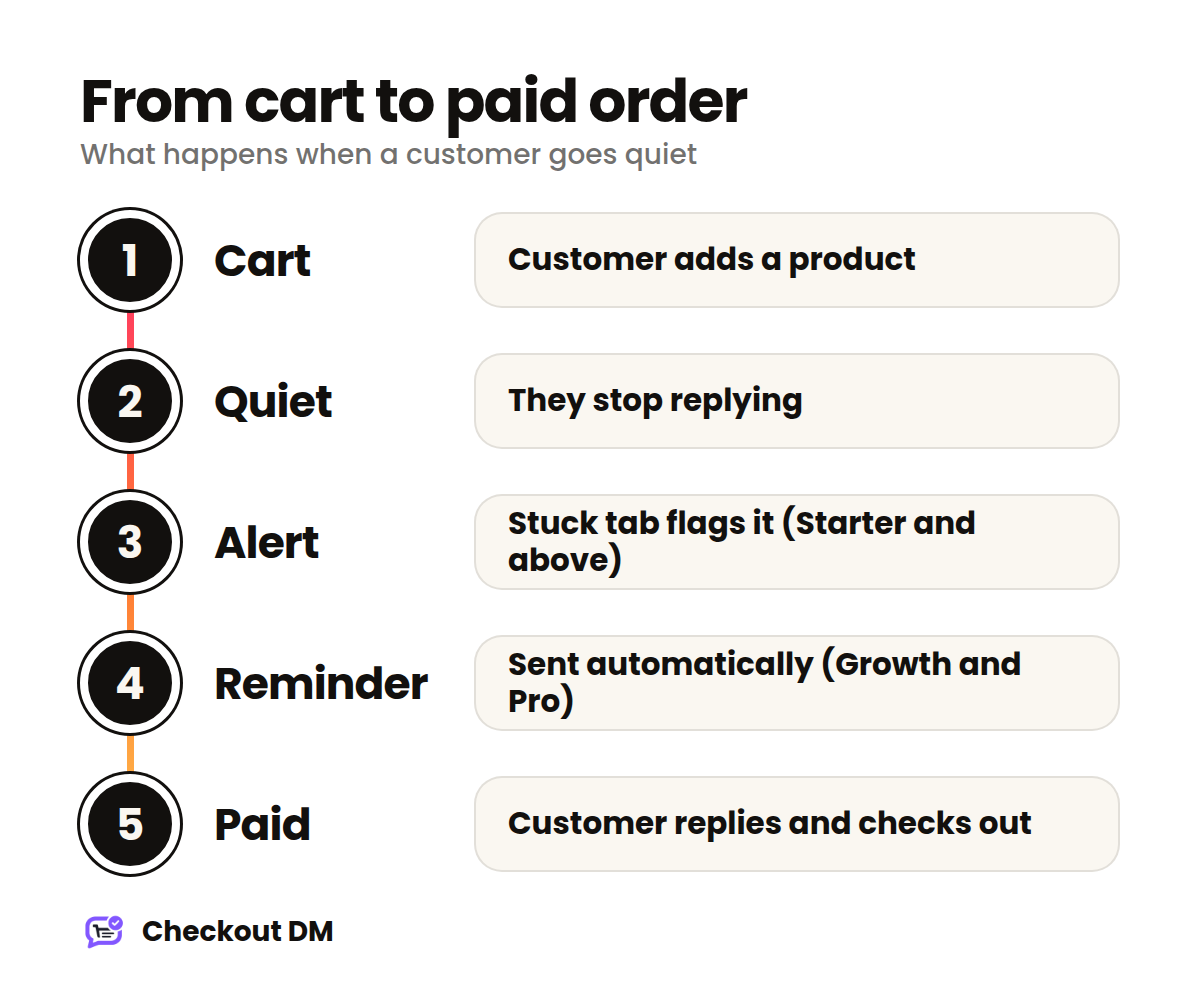
On every plan, your Chats tab shows each customer’s cart, quantity and current stage. Starter and above also get an abandoned-cart alert in the Stuck tab.
If a customer told the bot why they hesitated, for example by asking for a discount, that reason is shown too. It appears in full on Growth and Pro, and for a limited number of carts on Starter.
Follow up the right way
- Respond to the reason, not the cart. If they asked about sizing, answer sizing. Do not just say “you left something behind.”
- Send one short message. One line, one question. Three reminders in a row feel like pressure.
- Make it easy to reply. Ask something that can be answered in a word.
- Mind the timing. Instagram limits when a business can message a customer after their last message, so follow-ups work best when they are sent soon.
- Offer help before a discount. Reach for a discount only if price was actually the reason.
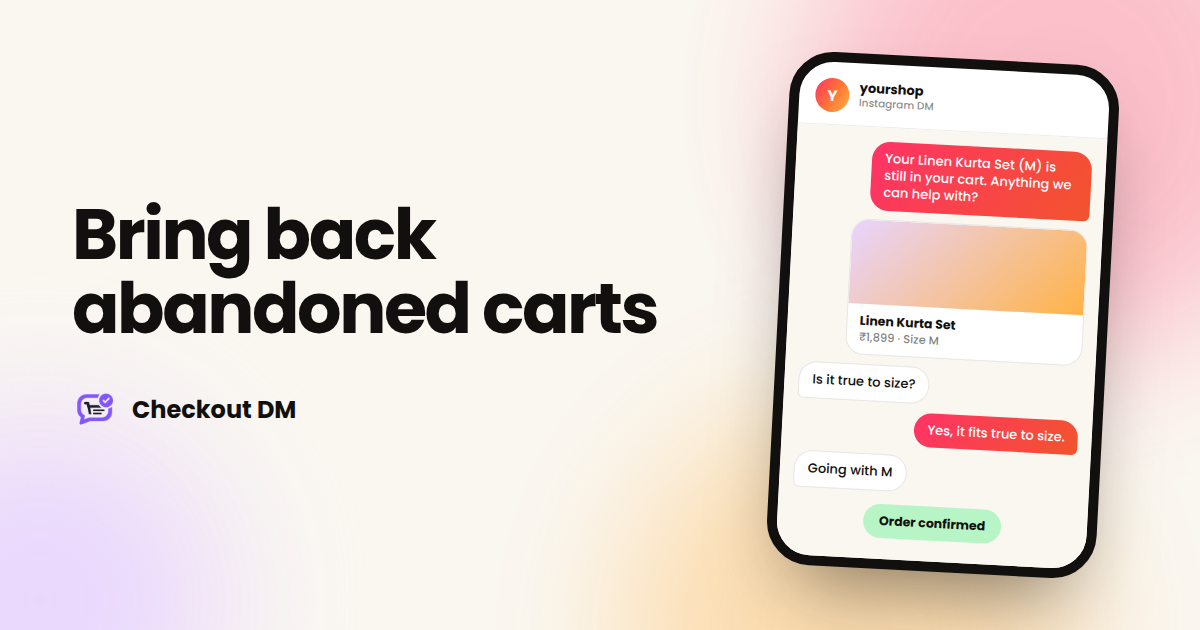
yourshop
Instagram DM
Hi! Your Linen Kurta Set (M) is still in your cart. Anything we can help with, like sizing or delivery time?
Is it true to size?
Yes, it fits true to size. If you are between sizes, we suggest going up one.
Okay, going with M
Reduce abandoned carts before they happen
- Keep stock accurate. Nothing breaks trust like choosing a size and then hearing it is sold out.
- Make the answers easy to find. Delivery time and return policy should be one message away.
- Keep payment simple. Fewer steps at the end means fewer people lost. See Taking Payments on Instagram: UPI vs a Payment Gateway.
Match the message to the reason
A follow-up that fits the reason a customer stopped is far more likely to get a reply than a generic reminder. These examples show how the wording changes with the cause.
| Why they stopped | A helpful follow-up |
|---|---|
| They got distracted | Hi! Your Linen Kurta Set (M) is still in your cart. Would you like to finish your order? |
| They were unsure about size | Not sure about the size? Here is how it fits: true to size, and if you are between sizes we suggest going up one. |
| They had a delivery question | Delivery usually takes a few days after dispatch. Want me to confirm the time for your address? |
| They were waiting for a better price | Thanks for your interest! If it helps, here is what is included in the set. Is there anything else you would like to know? |
| Payment felt like effort | Here is your payment link again. It takes under a minute, and you can pay by UPI, card or wallet. |
Notice that none of these threaten, pressure or invent urgency. They answer the likely question and make the next step easy.
Timing your follow-up
Timing matters more than most sellers expect. Instagram limits when a business can message a customer after their last message, so a follow-up that arrives too late may not be allowed at all, and one that arrives too early can feel pushy.
- Give them a little time. People step away for a reason, and a message a few minutes after they stop is likely to interrupt.
- Follow up within the allowed window. Plan to send your message while Instagram still allows it, rather than days later.
- Send once, then wait. One thoughtful message beats three reminders.
- Let automation help. On Growth and Pro, reminders go out automatically, so the timing is handled for you.
A weekly routine for stuck carts
If you handle follow-ups yourself, a short routine keeps them from piling up. Set aside ten minutes at the same time each day.
- Open your Stuck tab, if your plan includes it, or your Chats tab, and look for carts that have gone quiet.
- Read the last few messages to find the reason the customer stopped.
- Send one short message that answers that reason.
- Note any question that keeps coming up, and add the answer to your catalog or your standard replies.
- At the end of the week, count how many carts you recovered and what worked.
What not to do
- Do not pretend a product is almost sold out when it is not. Customers notice, and trust is hard to rebuild.
- Do not message customers repeatedly. If someone does not reply to one follow-up, let them go.
- Do not offer a discount to everyone by default. It teaches customers to wait for one.
- Do not ignore the pattern. If many carts stall at the same step, fix that step.
Recovering carts is part of a wider flow. For the whole picture, from the first comment to the shipped order, read How to Automate Sales on Instagram.
Related reading
Frequently asked questions
How do I see which customers abandoned their cart?
On every plan, the Chats tab shows each customer's cart, quantity and stage. Starter and above also get an abandoned-cart alert in the Stuck tab.
Does Checkout DM send cart reminders automatically?
Yes, on Growth and Pro. Those plans automatically send reminders to customers who add to cart and go quiet.
Can I message a customer any time after they stop replying?
No. Instagram limits when a business can message a customer after their last message, so follow-ups should go out soon rather than days later.