Affiliate marketing on Instagram has one repeating chore. You post a Reel about a product, followers comment asking where to buy it, and you spend the evening pasting the same link into DMs. It is slow, and it is easy to miss people.
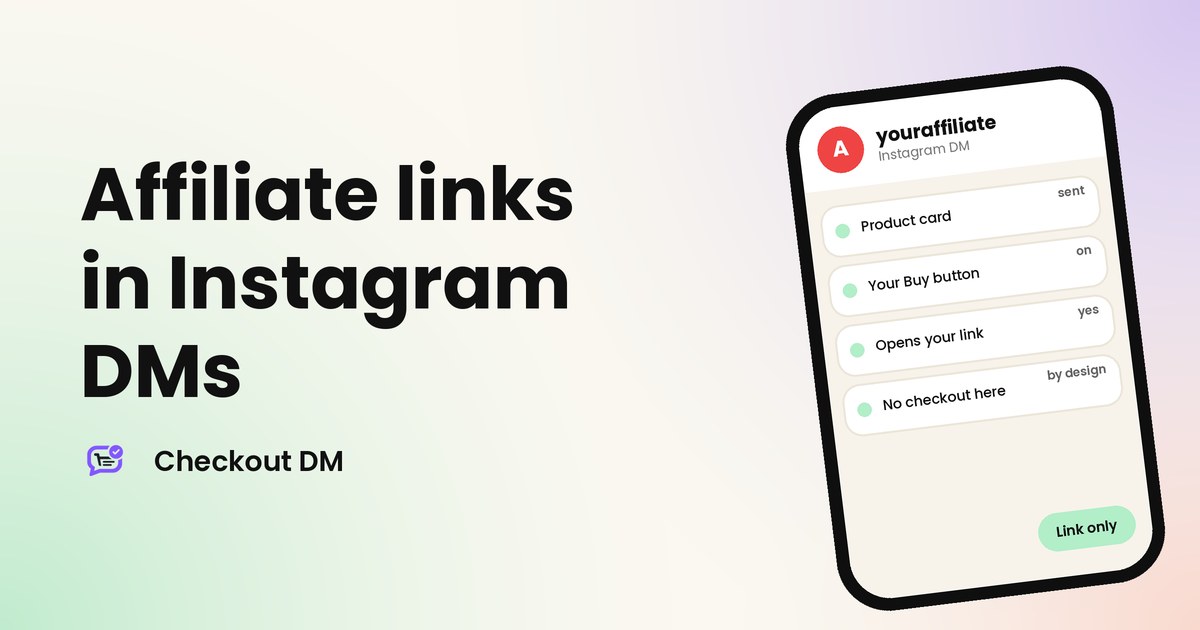
Checkout DM’s Creator plan is built partly for this. You add the product to your catalog with your own affiliate link as its Buy button. When someone asks, they get a product card with a button that opens your link. This guide explains how it works and what it does not do.
What an affiliate product looks like in a DM
You create a normal catalog product with a photo, a name and a short description. Then you add a Buy link, which is the affiliate link you want people to open. You can also give the button a short label of your own, such as Shop now, up to 20 characters.
By default, a product with a Buy link shows two buttons: Select, which starts a checkout in the chat, and your Buy button. For an affiliate product you usually want only the link. So you change the tap action to send people straight to your affiliate link. The card then shows your Buy button, plus a Visit Store button if your Storefront is switched on, and no Select button.
Setting it up
- Connect your Instagram account and choose the Creator plan or above. The Free plan does not include the Buy link button.
- Add the product with a clear photo, a name that matches what people search for, and a one-line description.
- Paste your affiliate link in the Buy link field. It must start with https://.
- Choose the tap action that sends people to your affiliate link. The option is only available once a Buy link is filled in.
- Set a comment keyword with comment-to-DM, such as LINK, so a comment starts the DM automatically. Comment-to-DM is included from Creator upward.
- Test it from a second Instagram account, and open the link on a phone.
Your post can then say: comment LINK and I will send it. Our guide to comment-to-DM shows how triggers work, and turning Reels into sales covers the post side.
A Reel-to-link example
Say you post a Reel reviewing a travel mug you actually use. The caption says: comment MUG and I will send the link. Someone comments MUG, and the comment trigger starts a DM. The customer receives a product card with a photo, the name, a one-line description and your Shop now button. One tap opens the retailer’s page with your affiliate link, and if the program credits the sale, you earn the commission.
Set up one keyword for each product you promote. That way a comment that says MUG always brings the mug, even when several Reels are live at once. Keep the card’s description to one useful line, such as what the product is best for, since the retailer’s page will carry the full details.
Preview link or Buy link
A product can have a Preview link or a Buy link, but not both. A Preview link adds a button next to Select that opens something for the customer to look at first, such as a demo or a sample. A Buy link is the one that sends people to another page to purchase.
| Preview link | Buy link | |
|---|---|---|
| Button on the card | Preview, next to Select | Your own label, such as Shop now |
| Where the customer buys | In the chat, with Select | On the other site, if the tap action is link only |
| Best for | Your own digital products | Affiliate products |
Do you keep the commission?
Checkout DM does not take a share of your affiliate earnings and charges no transaction fees on any plan. Your commission comes from the affiliate program you joined and follows that program’s rules. Your cost is the plan price, which for Creator is $9 or ₹499 a month.
Measuring what works
Because the purchase happens on another site, Checkout DM cannot show you affiliate sales. Use the reports inside your affiliate program instead. Most programs show clicks and sales by link, and many let you add a tracking tag to each link so that you can see which Reel or post it came from. Compare a few posts over a couple of weeks, then make more of the content that brings the clicks that turn into sales.
Habits that protect your audience
- Say it is an affiliate link. Advertising regulators in most countries, such as the FTC in the US, the ASA in the UK and ASCI in India, expect you to disclose a link that earns you a commission. A short line in the DM or the post caption does it.
- Check the program’s rules. Some affiliate programs limit where their links may be shared, including direct messages and email. Read the terms before you automate.
- Keep the catalog honest. Prices and availability change on the other site, so avoid putting a price in the description that may go out of date.
- Pick products you would recommend anyway. Followers remember a bad recommendation longer than a good one.
If you also sell your own files, you can keep both in the same catalog: affiliate products send people to a link, and your own products use the normal checkout. Our guide on selling digital products on Instagram covers the second half.
Related reading
Frequently asked questions
Which plan do I need for affiliate links in DMs?
Creator or above. The Free plan does not include the Preview or Buy link button.
Can I show only my affiliate link and hide the Select button?
Yes. Set the product’s tap action to send people to your affiliate link. The card then shows your Buy button and no Select button.
Does Checkout DM take a cut of my commission?
No. There are no transaction fees on any plan. You pay your plan price, and your commission comes from the affiliate program.
Will affiliate sales appear as orders in my dashboard?
No. The customer buys on another site, so no order is created in Checkout DM.
Can one product have both a Preview link and a Buy link?
No. A product can use one or the other.