Many sellers post a Reel, watch the views climb and then wonder why nobody orders. The problem is usually not the Reel. It is the gap between watching and buying. Viewers are scrolling, and a link in your bio is several taps away. Most people will not make the effort.
The fix is to give viewers a single, easy action right where they are. For many Instagram sellers, that action is a comment. This guide explains how to plan a Reel that sells, how a keyword comment can start a DM and what to do once the replies arrive.
Why the comment works
Commenting is the lowest-effort step a viewer can take. They do not leave the Reel, open a new page or type anything long. They write one word. That one word also tells you who is interested, so you can reply to the people who asked rather than everyone who watched.
With comment-to-DM automation, that comment triggers a message in the person’s inbox with the product, the price and a way to order. Our guide to comment-to-DM orders explains how the flow works step by step.
Plan a Reel that sells
- Show the product in the first seconds. People decide fast, so open with the thing you are selling, in use, not a long introduction.
- Show one product. A Reel about one item is easier to act on than a catalog tour.
- Answer the obvious question. Say the price range, the size or why it is worth buying, in a line on screen or in the caption.
- Give one clear call to action. For example, “Comment SHIRT and I will send you the details.” One word, one action.
- Pick a keyword that is easy to type. Short, simple and hard to misspell, such as a product name.
What the first DM should say
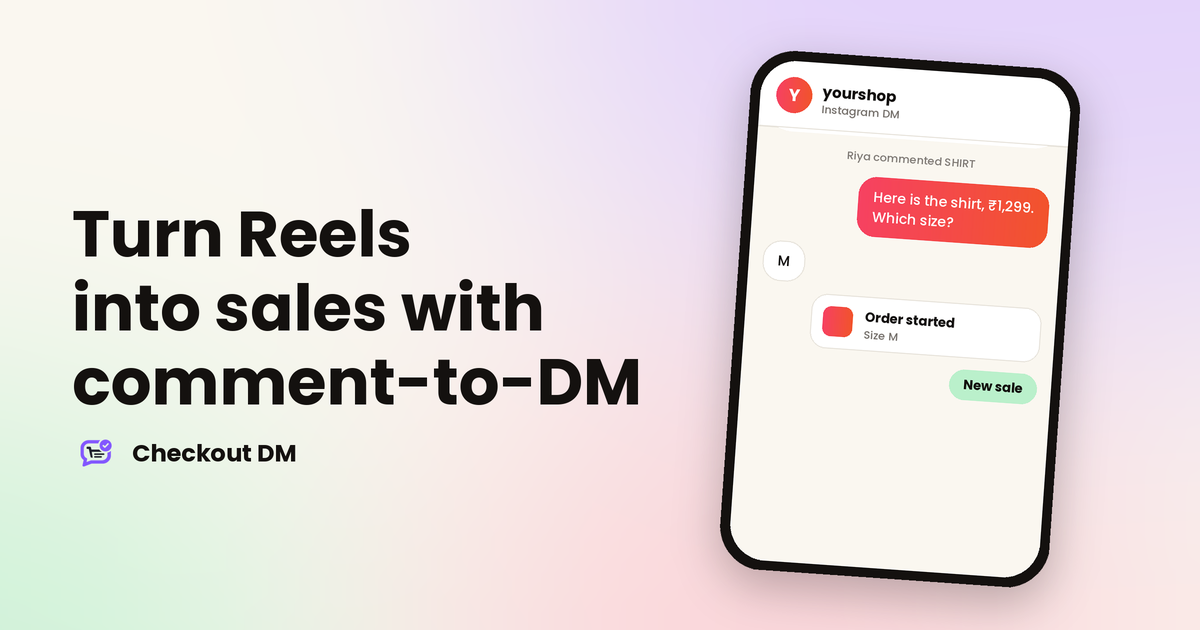
The first automated message decides whether the person keeps going. Keep it short, useful and easy to answer. Show what they asked about, the price and a question that moves things forward, such as which size they want.
yourshop
Instagram DM
Riya commented SHIRT on your Reel
Hi Riya! Here is the linen shirt, ₹1,299, in sizes S, M and L. Which size would you like?
M
Great, M is in stock. Please share your delivery address and I will send the payment link.
In Checkout DM, that conversation can carry on to size choice, address, payment and order confirmation inside the same chat. Comment-to-DM is available from the Creator plan upward, and the pricing page shows the details.
Know the rules
Meta sets rules for replying to comments. As described in its developer documentation, a business can send one private reply to a comment, within 7 days of the comment. After that first message, the conversation continues when the person replies. A private reply goes to the inbox if they follow you, and to message requests if they do not.
This is why the first message should be short and easy to answer. It is also why it helps to read our guide on whether DM automation is safe, which explains what Meta allows.
Prepare for a busy day
If a Reel takes off, hundreds of people may comment in the same hour. Meta’s documentation lists a limit of 750 private replies per hour for each professional account on comments to posts and reels. That limit comes from Meta, so it applies to every tool. Most sellers will never reach it, but if you do, some replies may be delayed.
- Check your stock first. Make sure the products you promote are in stock in the sizes you show.
- Keep your replies ready. Have your own answers ready for the questions the automation cannot handle.
- Be available. Plan to check your chats a few times on the day a Reel is doing well.
- Do not promote what you cannot ship. A rush of orders you cannot fulfil damages trust.
Follow up on interest
Not everyone who comments will order straight away. Some get distracted, some wait for payday and some want to think. A short, polite follow-up a day later often recovers sales that would otherwise be lost. Our guide to abandoned carts in Instagram DMs shows how to do it without being pushy.
Measure what works
After each Reel, note a few simple numbers: how many people commented, how many replied to the first message, how many paid and which product it was. After a handful of Reels, you will see patterns, such as which products get the most comments and which first messages get the most replies. Keep what works and drop what does not.
Related reading
Frequently asked questions
How do I sell products from an Instagram Reel?
Show one product clearly, give one simple call to action such as commenting a keyword, and use comment-to-DM so each comment starts a conversation with the price and a way to order.
How does comment-to-DM work?
When someone comments your keyword on a post or Reel, a tool sends them a private reply with the details. Meta allows one private reply per comment, within 7 days, and the conversation continues if the person replies.
What if hundreds of people comment at once?
Meta’s documentation lists a limit of 750 private replies per hour per professional account for comments on posts and reels. Most sellers never reach it, but on a very busy hour some replies may be delayed.
Which Checkout DM plans include comment-to-DM?
Comment-to-DM automation is available from the Creator plan upward. The Free plan includes full DM checkout and generic Story replies.