Most Instagram sellers think of their shop as a chat: the customer messages, the bot replies, the order forms inside the DM. That still works. But Checkout DM also gives you a second door. Your Storefront is a link where a buyer can browse your catalog, add products to a cart and pay on the page, without ever opening a DM.
That matters when your audience is not only on Instagram. You can put the same link in a YouTube description, a WhatsApp status, a Telegram channel or your website. This guide walks through what the buyer sees, how they pay, and what you do on your side afterwards.
Where the link lives and who has it
The Storefront is available on Creator and above. Its address is checkoutdm.com/store/ followed by your Instagram username, so there is nothing extra to set up. On the Free plan the Storefront is not included. You switch it on from the Public Catalog Page option in your profile menu, and only the account owner can change it. For how the page stays up to date, read what updates the Public Catalog Page.
Every paid plan also gets a shareable link for each individual product, with a rich preview when it is pasted into WhatsApp or another app. Only Pro product pages can be found on Google. Starter and Growth pages stay shareable but are not indexed.
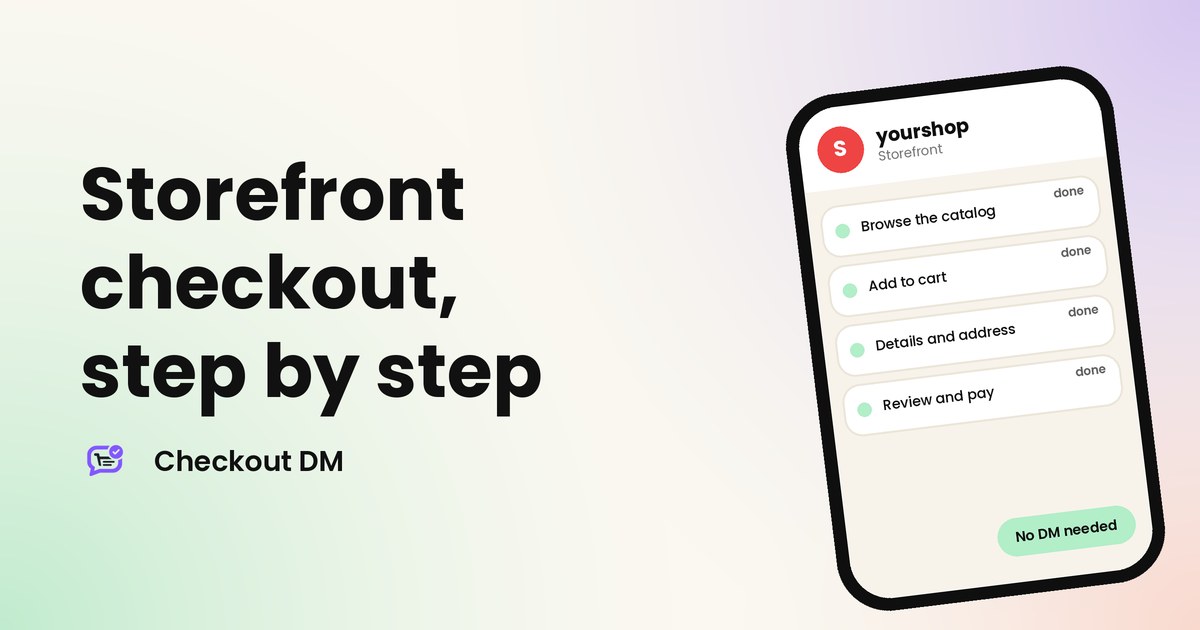
What the buyer does, step by step
Prices appear in your store’s currency, which is INR or USD depending on your account, so buyers see exactly the currency they will pay in.
- Open the link and browse. The buyer sees your products with photos, prices and sizes. A search box helps them find a product quickly, and they can sort by price.
- Pick a size and tap Add. Products with sizes show them on the card. A product that is out of stock shows as sold out, so the buyer cannot add it.
- Open the cart and go to checkout. The buyer enters their name and email. For physical products they also give a phone number and a full shipping address. A digital-only cart does not ask for an address.
- Check the price breakdown. Before paying, the buyer sees the subtotal, any discount, the shipping charge and the final total, so nothing changes at the last step.
- Review and pay. A confirmation card shows the order number and the total. The buyer taps to pay.
- See the confirmation. The buyer lands on an order confirmation page with the order number, and gets emails from you in the usual way.
How the buyer pays
The payment step follows the method you set up in your account. You choose one payment method, and the Storefront uses it:
| Your payment method | What the buyer experiences | Who confirms the payment |
|---|---|---|
| Razorpay | A payment window opens on the page for UPI, cards and other options Razorpay offers. | Confirmed automatically |
| Stripe or PayPal | The buyer is sent to the hosted payment page, then returns to your Storefront. Confirmation can take a few seconds. | Confirmed automatically |
| UPI, QR code or bank transfer | The page shows your UPI ID, QR code or bank details. The buyer pays, attaches a screenshot and taps the paid button. | You, after checking your account |
| Free digital product | The buyer taps to claim it for free and the link is sent to their email. | Nothing to confirm |
With manual methods, you stay in control. A screenshot is not proof of payment, so check your bank or UPI app before you ship. Our guide to avoiding fake payment screenshots explains what to look for.
What you see on your side
- The order appears in your dashboard with the buyer’s details, the items, the address for physical orders and the payment status.
- Stock counts are respected. A tracked product shows as sold out when its stock reaches zero, so buyers cannot add it to a cart.
- You ship the order. Shipping is handled by you. If you connect a courier partner, the buyer’s tracking link is sent automatically. Without one, you send the parcel and share tracking yourself.
- Digital items are delivered by email, with the download link sent after payment.
Coupons and shipping on the Storefront
The price breakdown includes your shipping fee and any discount that applies. A discount code box appears on the Storefront for Growth and Pro. Free shipping above a cart value is available from Starter. Read how these rules work in our guide to discount codes and free shipping.
What if a buyer abandons the cart?
Not every visitor who adds something finishes the purchase, and that is normal in any online shop. The cart stays on the buyer’s device, so when they come back to the same link on the same phone they can pick up where they left off. If they used the DM checkout instead, abandoned-cart reminders on Starter and above can nudge them. Read our guide to recovering abandoned carts for how those reminders work.
Where to share the link
- In your Instagram bio, so followers can browse without starting a chat.
- In WhatsApp statuses and broadcast messages to people who already know you.
- In YouTube descriptions and pinned comments, for viewers who are not on Instagram.
- On your own website or a link page, as the shop behind your content.
Checkout DM is built around Instagram, because your account connects through Instagram and the DM chat runs there. The Storefront is the part that works anywhere, so a buyer does not need Instagram to order.
Before you share it widely
- Place a test order yourself, from a phone, with the payment method you use for real.
- Check that photos, prices and sizes are right, since the page is built from your catalog.
- Set your shipping fee, so the total is correct for physical products.
- Decide who checks manual payments, and how fast.
Related reading
Frequently asked questions
Do buyers need Instagram to order from my Storefront?
No. The Storefront link works in any browser. A buyer can open it from WhatsApp, YouTube or any website and order without messaging you on Instagram.
Which plans include the Storefront?
Creator, Starter, Growth and Pro. The Free plan does not include it.
Can I see who ordered?
Yes. Each order shows the buyer’s name, email and, for physical products, phone number and address in your dashboard.
Do I have to confirm Storefront payments by hand?
Only if you use UPI, QR code or bank transfer. Razorpay, Stripe and PayPal payments are confirmed automatically.
Is the Storefront the same as the DM checkout?
They sell from the same catalog. The DM checkout happens inside the Instagram chat. The Storefront happens on a web page, so the buyer does not need to message you.