In India, many small businesses sell on both WhatsApp and Instagram. Customers find you on Instagram, then ask for details on WhatsApp, or the other way round. Both apps have tools for selling, but they are built differently, and it helps to know what each one actually does.
This guide compares the free WhatsApp Business app catalog with an Instagram DM checkout such as Checkout DM. The WhatsApp details come from WhatsApp’s help pages as summarised in several 2026 guides, and Meta changes its tools often, so check the app itself for what is available on your account.
What the WhatsApp Business catalog does
The WhatsApp Business app lets you add products to a catalog on your business profile and group them into collections. Customers can browse, and in many regions they can add items to a cart and send it to you as a message. It is free and quick to set up, which is why so many small sellers start there.
- Catalog size. Guides report a limit of 500 products per catalog, with one catalog per account and up to 10 images per item.
- Review. Items and collections go through WhatsApp’s review before customers can see them.
- Orders, not payments. The catalog and cart let a customer send an order as a message. The free app’s catalog does not itself take the money.
- Payments in India. Customers can pay through UPI in the chat in some cases, or you can send a payment link, and you confirm what arrived.
- Stock. Guides report that the app does not keep stock levels in sync automatically.
- Product rules. Meta’s commerce policy restricts some categories, and guides report that digital and downloadable products are not allowed in catalogs.
What an Instagram DM checkout does
A DM checkout moves the whole order into the Instagram conversation. The customer sees the product, picks a size or variant, enters a delivery address and pays, all in the chat that started with a comment, a Story reply or a DM. In Checkout DM, stock is tracked per size, sold-out sizes are not offered, and orders, returns and shipping are managed in one dashboard. Our guide to what Checkout DM does for your Instagram account covers the details.
Side by side
| WhatsApp Business app catalog | Instagram DM checkout (Checkout DM) | |
|---|---|---|
| Cost | Free app | Free plan, then flat monthly plans |
| Product limit | Reported as 500 per catalog | 5 on Free, up to 10,000 on Pro |
| Cart | Customer sends a cart as a message | Cart built into the DM checkout |
| Payment | Usually a UPI request or a payment link you send | Razorpay, Stripe, PayPal, or manual UPI, QR and bank transfer |
| Payment confirmation | You check it yourself | Automatic with a gateway, manual otherwise |
| Stock per size | Not kept in sync automatically | Built in, sold-out sizes not offered |
| Orders and returns | Managed in chats and your own records | Orders, returns and shipping in one dashboard |
| Digital products | Reported as not allowed in catalogs | Supported, with a secure delivery link |
| Starts from | Customers who message you on WhatsApp | Comments, Story replies and DMs on Instagram |
Where WhatsApp is stronger
- Reach into daily life. Many customers check WhatsApp more often than any other app, which suits repeat customers and local orders.
- Free and simple. There is no tool to buy and almost no setup.
- Personal relationships. It works well for regulars who already have your number.
- Broadcasts and Status. You can update existing customers about new arrivals.
Where Instagram DM checkout is stronger
- Discovery. Reels, Stories and posts reach people who do not know you yet, and a comment can start an order. See turning Reels into sales.
- A complete order flow. Size choice, address, payment and confirmation happen in one place instead of across many messages.
- Stock and order tracking. You are less likely to oversell or lose an order in a long chat.
- Digital products. You can sell and deliver files, which a WhatsApp catalog does not suit.
Use both without doubling the work
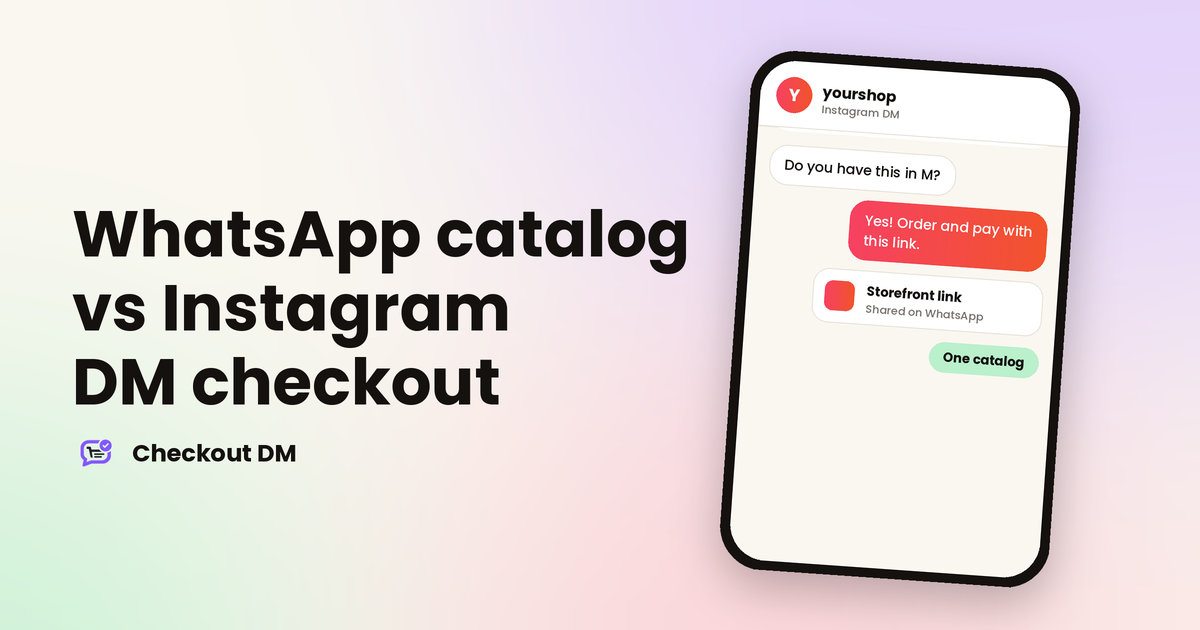
Most sellers do not have to choose. Checkout DM automates chats on Instagram only, but its Storefront gives you a shareable web link with one-link checkout. You can send that link on WhatsApp, in a Status or in a broadcast, and customers can buy your products from it without a DM. That way your catalog and orders live in one place while you reach customers on both apps. If you do not have a website, our guide to selling on Instagram without a website explains how the Storefront fits in.
yourshop
Instagram DM
Hi, do you have the new kurtas?
Yes! Here are all of them, with sizes and prices. You can order and pay right from the link: [your storefront link]
Thanks, ordering now
The Storefront with one-link checkout is available from the Creator plan upward, and the pricing page shows what each plan includes. For how customers pay, see taking payments on Instagram in India.
A simple way to choose
| If you... | Start with |
|---|---|
| Mostly sell to people who already know you and have your number | WhatsApp catalog |
| Get customers from Reels, Stories and comments | Instagram DM checkout |
| Sell digital products | Instagram DM checkout or a storefront link |
| Need stock tracked per size and orders in one dashboard | Instagram DM checkout |
| Sell on both | One storefront link shared on WhatsApp, plus Instagram DM checkout |
Related reading
Frequently asked questions
Does the WhatsApp Business catalog take payments?
The free app’s catalog and cart let a customer send an order as a message but do not process the payment themselves. In India, sellers usually collect payment through UPI or a payment link and confirm it themselves. Features vary by account, so check your app.
How many products can a WhatsApp Business catalog hold?
Guides report up to 500 products per catalog on the WhatsApp Business app, with one catalog per account. Check the app for the current limit.
Can I use Checkout DM on WhatsApp?
Checkout DM automates chats on Instagram only. But you can share your Checkout DM Storefront link on WhatsApp, and customers can buy from it with one-link checkout. The Storefront is available from the Creator plan upward.
Can I sell digital products on WhatsApp?
Guides report that Meta’s commerce policy does not allow digital and downloadable products in WhatsApp catalogs. Check the current policy. Checkout DM supports digital products with a secure delivery link.