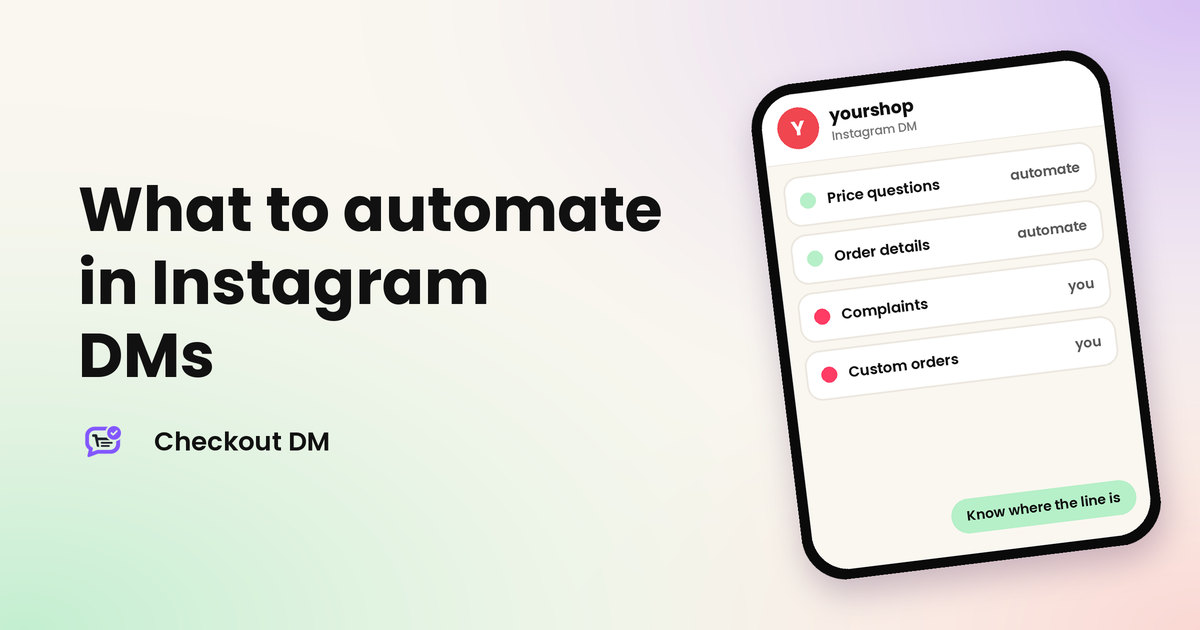
The first reaction to DM automation is often to automate everything. A better question is which messages deserve a person. Customers forgive an instant, accurate answer about a size. They do not forgive a robotic reply to a damaged parcel. Getting the line right keeps the speed of automation and the warmth of a real seller.
This guide gives you a simple rule for deciding, lists what most sellers can safely automate and what they should keep, and shows how to hand a chat back to yourself without losing the customer. If you are new to the idea, read what Instagram DM automation is first.
A two-question test
For any type of message, ask two questions. First, is the answer the same every time? Second, is a wrong answer cheap to fix? If both are yes, automate it. If either is no, keep a person involved.
What to automate
- Showing your products. Photo, name, price and sizes never change from one customer to the next.
- Price and availability questions. The answer comes straight from your catalog and your stock.
- Collecting order details. Size, quantity, name, phone number and delivery address, one step at a time, so nothing is typed across five messages.
- Sending payment details. A payment link or your UPI, QR code or bank transfer details, with the right amount.
- Recording the order. An order number, the items and the amount in one place, plus a confirmation email.
- Policy and FAQ answers. Your return policy, exchange policy, shipping times and sizing notes are the same for everyone.
In Checkout DM these run on every plan, and you can see them in action on the Instagram DM automation page. Our guide to reply templates helps you write wording that sounds like you.
What to keep for yourself
- Complaints and damaged items. The customer needs to feel heard, and each case is different.
- Custom or bulk orders. Pricing, timing and materials need a conversation.
- Negotiation. Whether to offer a discount is a decision about your margin.
- Payments you are unsure about. If you take UPI by screenshot, checking it against your bank account is your job. Our guide to fake payment screenshots explains what to look for.
- Sensitive situations. Refund disputes, delivery problems and anyone who is upset deserve a person.
- Anyone who asks for a human. Always give them one.
The grey zone
| Situation | Automate? | Why |
|---|---|---|
| Size is out of stock | Yes, offer other sizes | The answer comes from your stock |
| Customer asks about a discount | Partly | Let coupons apply automatically, and decide special offers yourself |
| Customer wants to return an item | Start automatically | Collect the request, then handle courier pickup yourself |
| Customer asks when the order arrives | Partly | Share the status, and step in if it is late |
| Customer asks for a gift note | No | It is a small custom request |
How to hand a chat back to yourself
A good setup makes the switch easy. In Checkout DM, a few things help. On Starter, Growth and Pro, the Stuck tab lists the chats that need you: the bot could not understand a reply, a cart has been sitting untouched, a chosen product was deleted, there has been no reply for 7 days or more, or the customer asked for a human. You can also jump into any automated conversation yourself, and Pause Bot stops the bot talking over you. Read the Stuck tab and Pause Bot guide for the details.
yourshop
Instagram DM
The zip on my jacket broke after two days.
I am so sorry about that. I am looking at your order now and will send a fix today.
You took over this chat from the Stuck tab
Make automated messages sound like you
Customers do not mind automation. They mind messages that feel cold or confusing. Write each automated message the way you would say it across a counter: short, warm and specific. Use your shop’s name and your usual words. Make each step ask one clear thing, such as the size or the delivery address, rather than several at once. And always leave a way out, so a customer who wants a person knows they can ask for one.
Read your messages aloud once. If you would not say a sentence to a customer standing in front of you, change it.
A weekly habit that keeps the balance
- Open the Stuck tab daily. If it is empty, nothing is waiting on you.
- Read why chats got stuck. A repeated reason shows a gap in your catalog or your FAQs.
- Add the missing answer to your FAQs or policy so it is automated next time.
- Review one week of conversations to see which questions still reach you by hand.
Over time, the pile of messages that need you shrinks, and the ones that remain are the ones worth your attention. For the complete picture of how a sale runs, see how to automate sales on Instagram.
Related reading
Frequently asked questions
What should I automate in Instagram DMs?
The answers that are the same every time and cheap to fix if wrong: showing products, prices and stock, collecting order details, sending payment details, recording orders and answering policy questions.
What should I never automate?
Complaints, damaged items, custom or bulk orders, negotiation, payments you are unsure about and anyone who asks for a human. These need judgement and care.
Can a customer talk to a real person?
Yes, if you set it up. In Checkout DM, a customer who asks for a person lands in your Stuck tab on Starter, Growth and Pro, and you can take over any chat.
Will automation make my shop feel robotic?
It does not have to. Write messages in your own voice, keep them short and keep a person ready for anything that is not routine.
How often should I check my automated chats?
Check the Stuck tab daily, and review a week of conversations now and then. A repeated question is a sign to add an answer to your FAQs.