If you sell on Instagram, you already know how most orders start. Someone sees a post, opens your DMs and types a few words: “is this still available?”
What happens next decides whether you make the sale. For most small sellers, it looks something like this.
yourshop
Instagram DM
Hi, is the linen kurta set available?
4 hours later
Yes! M and L left. ₹1,899
M please. How do I pay?
UPI to the number in my bio. Send a screenshot and your address.
Next day
Sorry, I was travelling. Is it still available?
Nobody did anything wrong here. The seller was busy and the buyer was travelling. But the sale still stalled, and neither of them could point to the moment it was lost. That is what makes DM selling so frustrating: the leaks are small, they are everywhere, and they are invisible.
The five places DM orders slip away
Look back at your last ten abandoned conversations and you will probably find the same few causes.
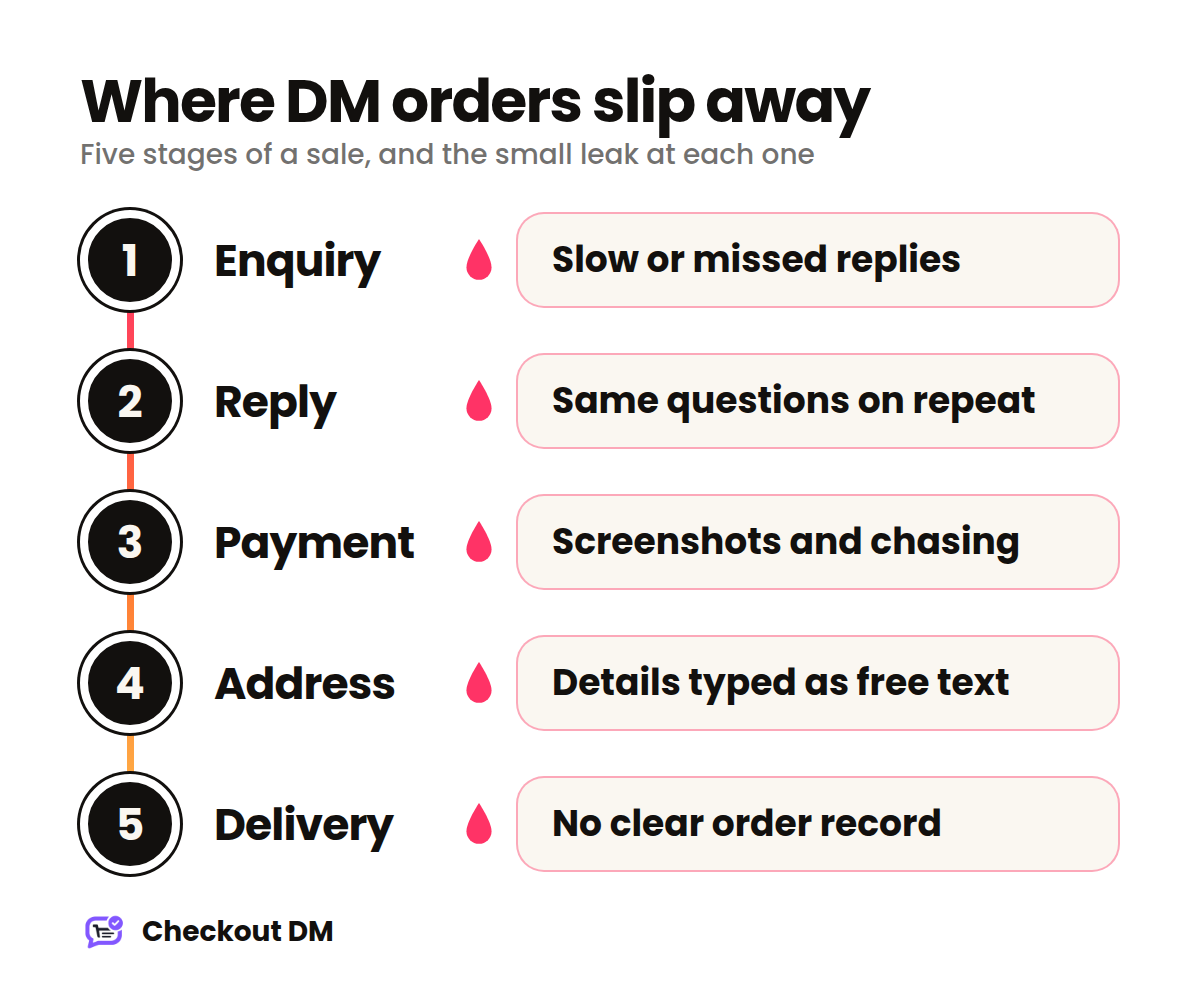
- Slow or missed replies. DMs arrive at night, during festivals and while you are packing parcels. A buyer who waits half a day often moves on to the next shop in their feed.
- The same questions, again and again. Price, size, colour, availability, delivery time. You type the same answers dozens of times a week, and each one is a chance for a typo or a forgotten detail.
- Payment friction. Sharing payment details, asking for a screenshot, matching it to the right customer and checking the amount. Every step asks the buyer to do more work than a normal checkout would.
- Addresses in free text. An address typed across five messages, missing a postal code or a phone number, turns into a delivery problem later, and sometimes a refund problem after that.
- No clear record. Without an order list it is hard to know who paid, who did not, what needs packing and who is waiting for an update. Your orders end up living in a chat scroll.
What a good DM checkout looks like
The fix is not necessarily a website. Your customers are already inside Instagram, and sending them somewhere else adds one more place for people to drop off. A better approach is to let the conversation do the checkout, so the buyer never leaves the chat.
A good flow follows the same steps every time:
- Start. The buyer begins with a keyword in your DMs, a comment on a post, or a reply to your Story.
- Browse. They see your products as a catalog inside the thread, with prices.
- Choose. They pick a product, then a size or variant if it has one, and add it to their cart.
- Deliver. They share their delivery address one detail at a time instead of typing a paragraph.
- Pay. They pay in the same chat, either with a secure payment link or by sending payment to your UPI or bank details.
- Confirm. The order lands in your dashboard, and with a connected payment gateway it is confirmed automatically the moment the payment arrives.
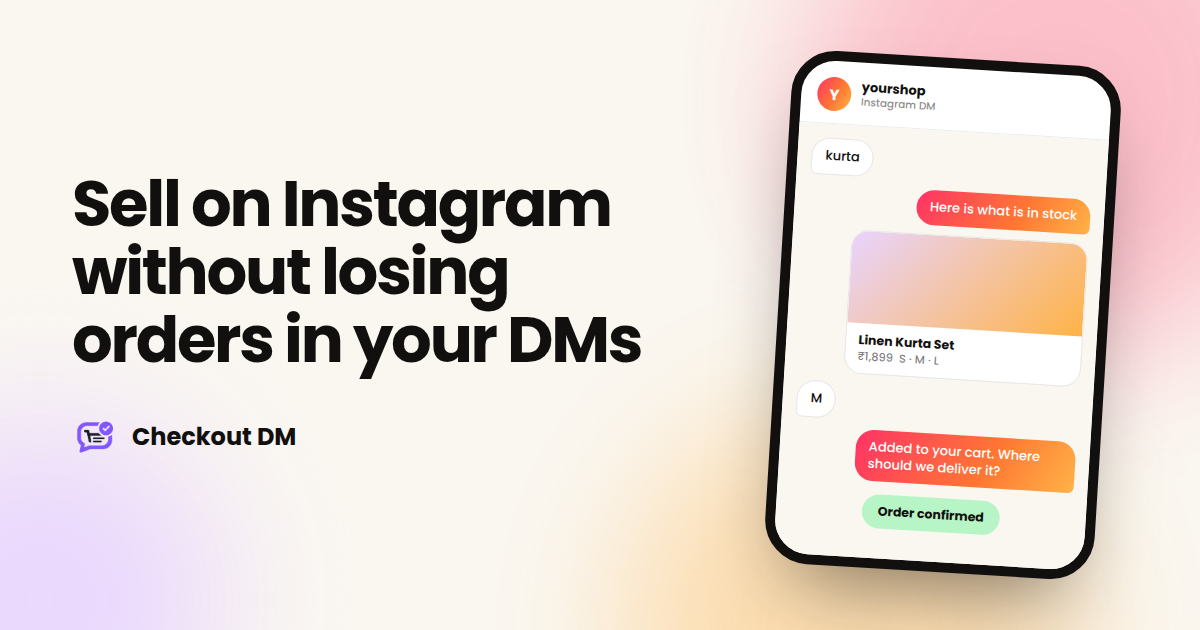
yourshop
Instagram DM
kurta
Hi! Here is what is in stock. Tap a product to see sizes.
Linen Kurta Set • ₹1,899 Sizes: S, M, L
M
Added 1 × Linen Kurta Set (M) to your cart. Where should we deliver it?
Two minutes later
Here is your secure payment link. Your order is confirmed as soon as it is paid.
Three ways customers can start a purchase
You do not have to wait for people to message you first. The same checkout can begin in three places:
- A keyword in your DMs. Someone sends a word like a product name or category and the catalog opens.
- A comment on a post or Reel. The buyer comments, and the flow starts in their DMs without you copying and pasting a link.
- A reply to your Story. Story replies are one of the warmest signals you get, because the buyer is already looking at the product.
Comment-to-DM automation is available from the Creator plan onward. See the pricing page for what each plan includes.
Payments: keep it simple, keep it yours
You have two options. You can accept payments manually through UPI, a QR code or a bank transfer, which needs no payment gateway at all, but you confirm each payment yourself from your dashboard. Or you can connect Razorpay, Stripe or PayPal so payments are confirmed automatically.
Either way, the money goes straight to your own account. Checkout DM does not take a commission or a transaction fee on your orders. If you use a payment gateway, the gateway’s own charges still apply.
Do not automate away the human part
Automation should handle the repetitive questions so you have time for the conversations that matter: a custom request, a worried first-time buyer, a question no menu can answer. A good setup lets a customer ask for a real person at any point, and lets you step in without breaking the flow.
Automate the checkout, not the relationship.
A simple setup checklist for this week
- Pick your best-selling 5 to 10 products and write clear names, prices and sizes for each.
- Take one good photo per product. Square, bright and uncluttered beats fancy.
- Decide how you will take payments: manual UPI, or a connected gateway for automatic confirmation.
- Write down your delivery time and return policy in two sentences each, so they are ready to share.
- Run through the whole flow yourself from a second Instagram account before you tell customers about it.
Checkout DM has a free plan that includes 5 products and 15 customer conversations a month, which is enough to run this checklist and see how the flow feels. You can read how the dashboard works in the Help Guide, or connect your Instagram account and try it with your own catalog.
Frequently asked questions
Can I sell on Instagram without a website?
Yes. You can run the whole sale inside Instagram DMs: the buyer browses your catalog, chooses a product, shares a delivery address and pays, all in the same chat. A DM checkout tool such as Checkout DM automates those steps so you do not have to type each reply yourself.
How do I take payments from Instagram customers?
You can share UPI, a QR code or bank details and confirm each payment manually, or connect a payment gateway like Razorpay, Stripe or PayPal so payments are confirmed automatically. With Checkout DM, payments go directly to your own account.
Does Checkout DM take a commission on sales?
No. Checkout DM does not take a commission or a transaction fee on your orders. If you use a payment gateway, the gateway’s own charges apply.