For most small sellers, the Instagram account is the business. So when a tool asks you to connect it, the question “is this safe?” is the right one to ask.
Stories of tools that ask for passwords, or accounts that get restricted after using shady bots, are common. This article explains how Checkout DM connects, in plain words, so you can judge for yourself.
The short answer
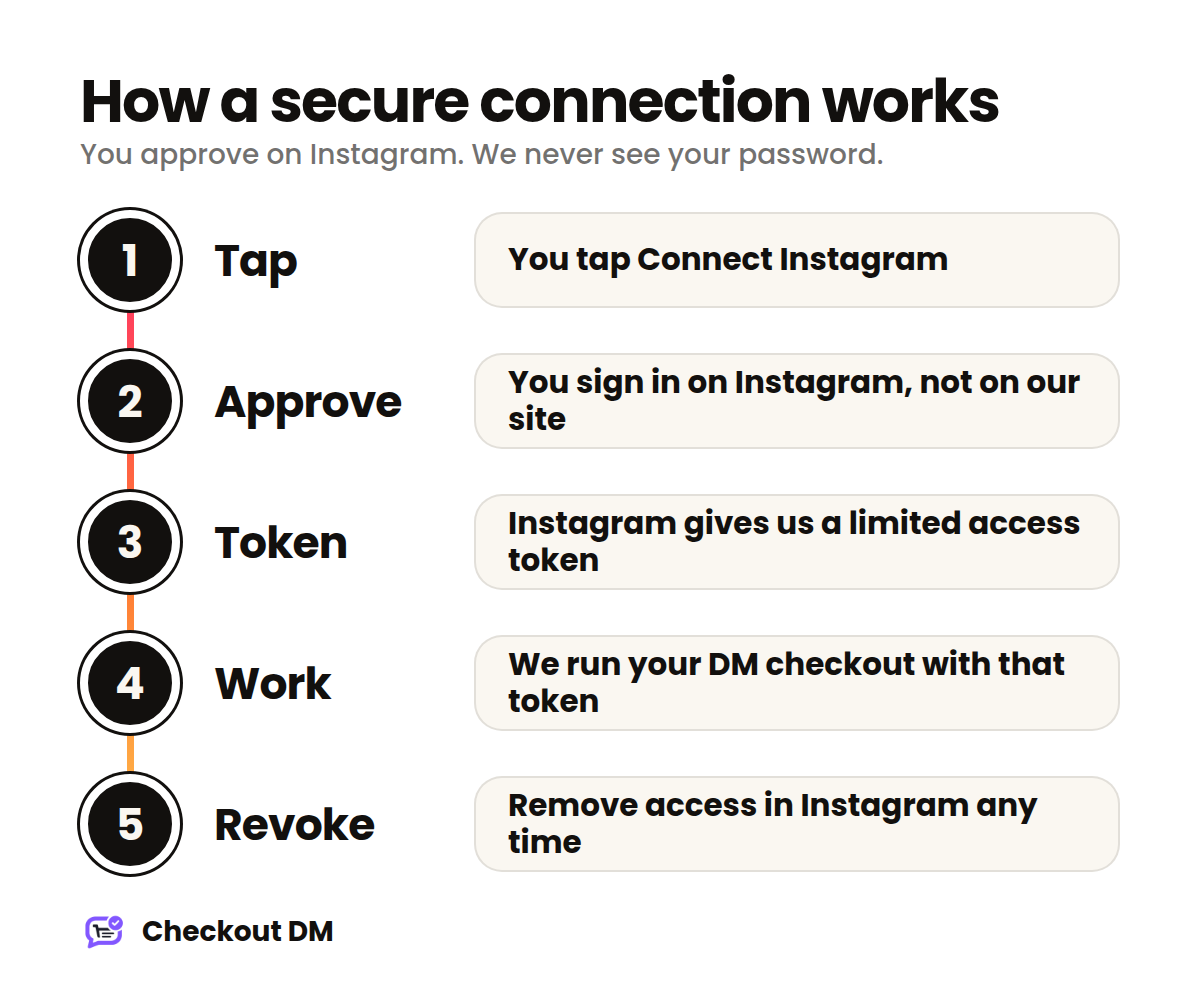
Checkout DM never sees and never stores your Instagram password. You sign in on Instagram’s own page, approve a short list of permissions, and Instagram gives us a limited access token. That token is what lets us work with your messages and comments.
What OAuth means, in plain words
OAuth is the “log in with…” system you already use across the web. Instead of handing a tool your password, you approve a specific list of permissions on the platform you trust.
Think of a valet key. It starts the car, but it does not open the boot or the glove box. An access token works the same way: it can do the few things you approved and nothing else, and you can take it back whenever you like.
What Checkout DM is allowed to do
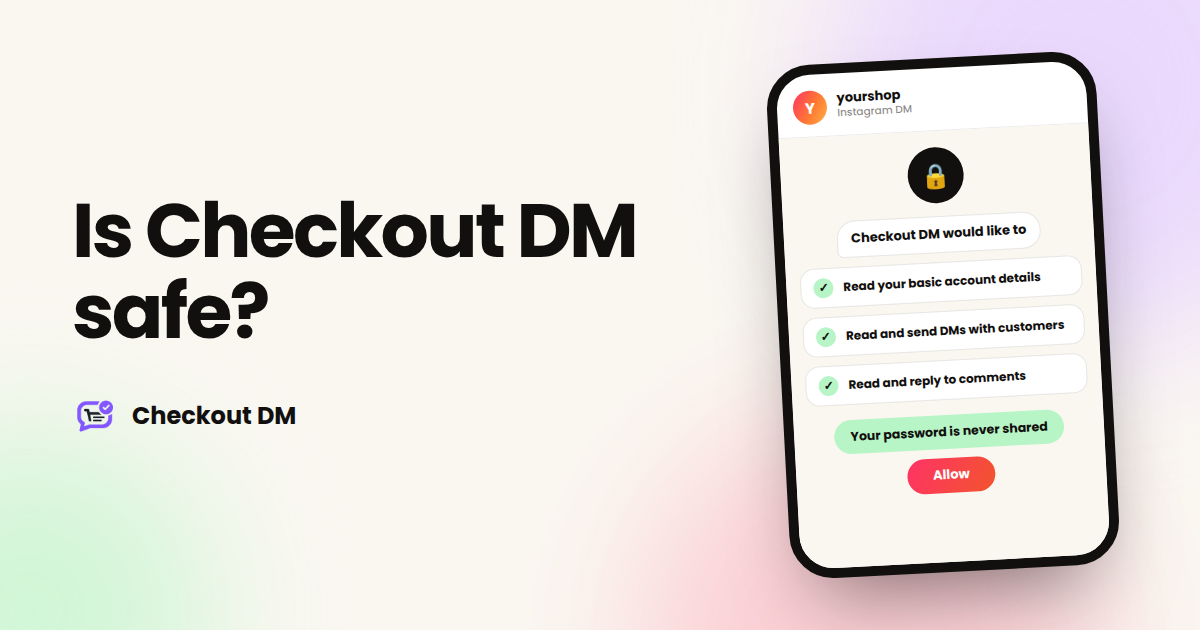
We use three Instagram permissions. Meta reviews apps through its App Review process before they can use permissions like these with other people’s accounts, and all three have been approved for Checkout DM.
| Permission | What it allows | Why we need it |
|---|---|---|
instagram_business_basic | Read basic details of your business account | To identify your shop and show your name in the dashboard |
instagram_business_manage_messages | Read and send messages in conversations with your customers | To run your DM checkout |
instagram_business_manage_comments | Read and reply to comments on your posts and Reels | For comment-to-DM automation |
What we never get
- Your password. It is never shared with us at any point.
- The ability to post, follow or edit your profile. The permissions above do not include those actions.
- Your customers’ card details. Payments use secure payment links, and card numbers are never stored by Checkout DM.
Staying inside Instagram’s rules
- Official platform only. No scraping, no password automation and no bots running in your browser.
- Customer-first conversations. A chat starts when a customer messages you, comments or replies to your Story.
- The 24-hour messaging window. Instagram limits when a business can message a customer, and we work within that limit.
You stay in control
- Open your Instagram connected apps page.
- Find CheckoutDM and remove access. This immediately revokes our access token.
- If you reconnect later, your catalog, order history and settings are still there.
- To have your data deleted, follow the steps on our Data Deletion page.
A safety checklist for any Instagram tool
- Does it ask for your Instagram password? If yes, walk away.
- Does it connect through Instagram’s official login screen?
- Does it tell you exactly which permissions it uses and why?
- Can you remove its access yourself, from Instagram?
- Does it explain what happens to your data when you leave?
You can see the full summary on our Security page, and the details of how we handle data in the Privacy Policy.
What happens when you connect, step by step
It helps to know exactly what you will see, so nothing about the connection feels like a surprise.
- You tap Connect Instagram in your Checkout DM dashboard.
- Instagram opens its own permission screen. You are now on Instagram’s page, not ours. If you are not signed in, you sign in here, with Instagram.
- Instagram lists what Checkout DM is asking for. You can read the permissions before you decide.
- You approve. Instagram sends Checkout DM a limited access token and sends you back to your dashboard.
- Your shop starts working. From this point, messages and comments for your account can be handled through that token.
At no point in these steps is your password typed into Checkout DM. If you ever see a tool ask for it directly, treat that as a warning sign regardless of what the tool promises.
How we handle your data
Security is not only about the connection. It is also about what happens to your information afterwards. In short:
- Credentials are stored encrypted. The access token that Instagram issues is kept in encrypted form, and our site is served over HTTPS.
- We use the data to run your shop. That means your catalog, your customers’ conversations and your orders, so the checkout works.
- Payments go to you. Your payment account receives the money directly, and we do not hold it.
- You can ask for deletion. Follow the steps on our Data Deletion page, or write to [email protected].
The full detail is in our Privacy Policy. Like every online service, we cannot promise that any system is 100% secure, which is why we keep our safeguards under review.
What to do if something looks wrong
If you ever see activity you do not recognise, or you simply want to stop, you can act immediately without waiting for anyone.
- Open your Instagram connected apps page and remove CheckoutDM. This cuts our access straight away.
- If you are worried about your account, change your Instagram password and review the other apps you have connected.
- Write to [email protected] with what you noticed, and we will look into it.
Why asking these questions matters
Asking whether a tool is safe is exactly what a careful seller should do, and a trustworthy tool should welcome the question. The strongest signs of safety are simple ones: an official login, a clear list of permissions, a way for you to remove access yourself, and honest language about what a tool can and cannot promise.
If you are comparing tools, use the same checklist on each of them. Our overview of the best free Instagram automation tools includes a short safety check you can apply to any option.
Related reading
Frequently asked questions
Does Checkout DM see my Instagram password?
No. You sign in on Instagram’s own page through Instagram Business Login, and Instagram gives Checkout DM a limited access token. Your password is never shared with us.
Can Checkout DM post or follow accounts on my behalf?
No. The permissions we use cover basic account details, messages and comments. They do not include posting content, following accounts or editing your profile.
How do I remove Checkout DM’s access to my account?
Open your Instagram connected apps page, find CheckoutDM and remove access. This immediately revokes our access token. You can reconnect later and your catalog and orders will still be there.
Does Checkout DM store my customers’ card details?
No. Payments use secure payment links, and customer card details are never stored by Checkout DM.